Apple Mail Client - Zoho Mail as IMAP account
Steps to Configure Zoho Mail in Apple Mail Client
For best results, ensure that you have a good internet connection when you configure the account.
- Make sure that IMAP Access is enabled in the Zoho Mail interface. (Login to www.zoho.com/mail >> Settings >> Mail Accounts >> IMAP Access >> Enable IMAP Access by clicking the checkbox)
- Open your Mac Mail application.
- Select Mail >> Accounts >> Click the + icon in the bottom right, to add a new account.
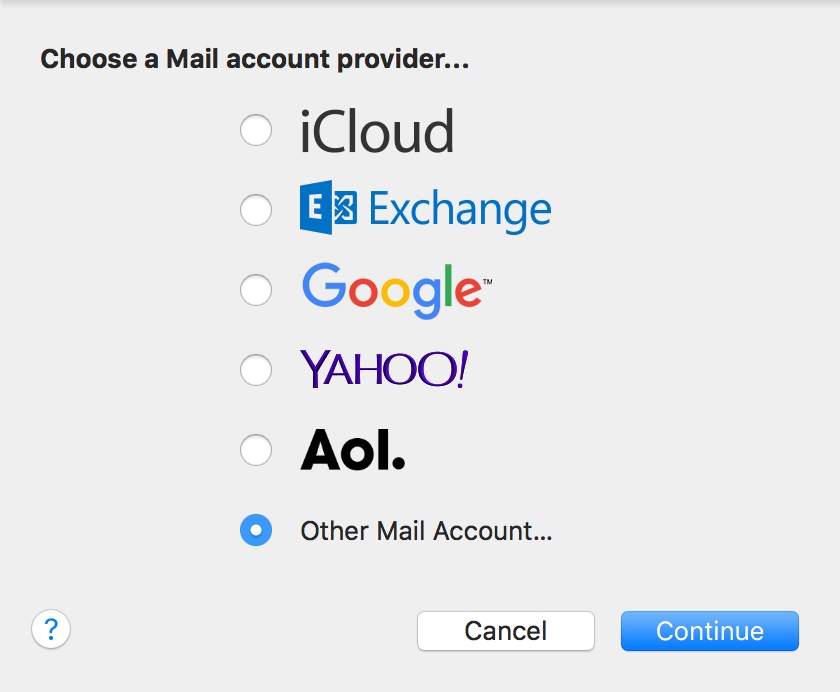
- Choose Other Mail Account, skipping the default options provided.
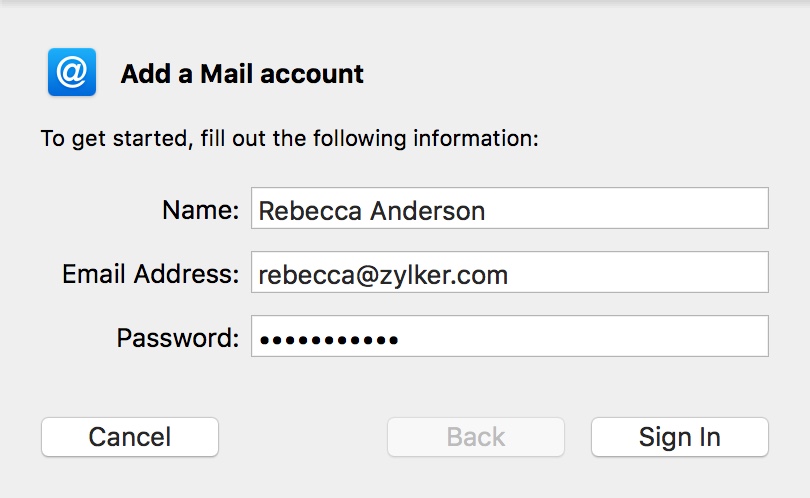
- Specify your preferred Display Name, Email Address of your account in Zoho and your password.
- Click Sign In, and provide the configurations details manually.
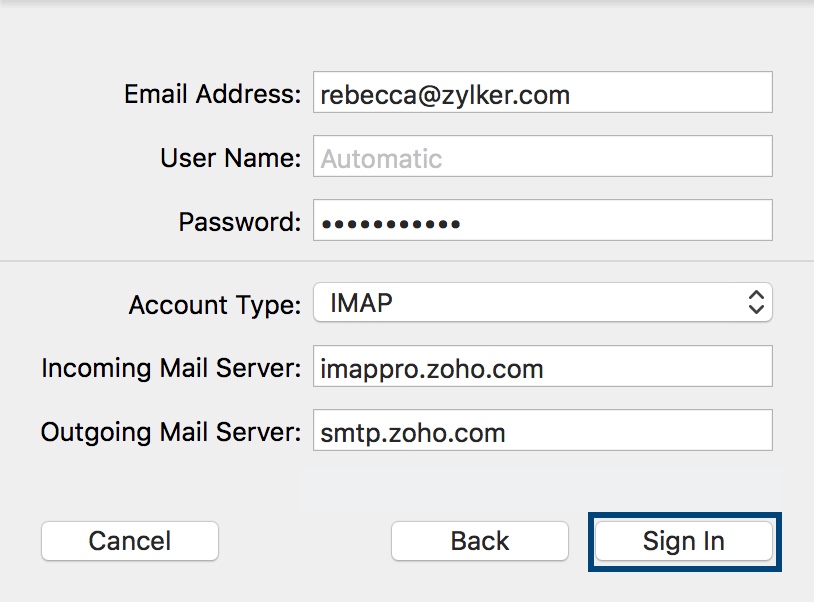
- In the next screen, select the Account Type, and the Incoming and Outgoing server details as given below:
- User Name: Your complete email address (user@yourdomain.com for domains hosted with Zoho and user@zoho.com for personal users )
- Password: Zoho account password (You may require Application Specific password if Two Factor Authentication is enabled for your account.)
- Account Type: IMAP
- Incoming Mail Server: imap.zoho.eu for personal users, imappro.zoho.eu for organization users who have their domains hosted with Zoho Mail.
- Outgoing Mail Server: smtp.zoho.eu
- Click Sign In.
- Apple Mail verifies the account details and maps the server details for the account.
- The account will get created based on the server details provided. The folders and the emails in the account will be synced with the Mac Mail client.
Troubleshooting Mac Mail Configuration
Authentication Errors:
- In case you get authentication errors, check your IMAP Status. If IMAP Status is disabled, Enable IMAP and try again.
- Check if you have Two Factor Authentication turned on. (accounts.zoho.eu >> Two Factor Authentication) . Generate and use Application Specific Password, for TFA enabled accounts
- In case you are a part of an organization, the administrator may have restricted access via IMAP to your account. Contact your email administrator for details.
Connection Errors:
- Often connection errors happen when the server details are incorrect.
- Check if the Incoming and SMTP Server names are correct.
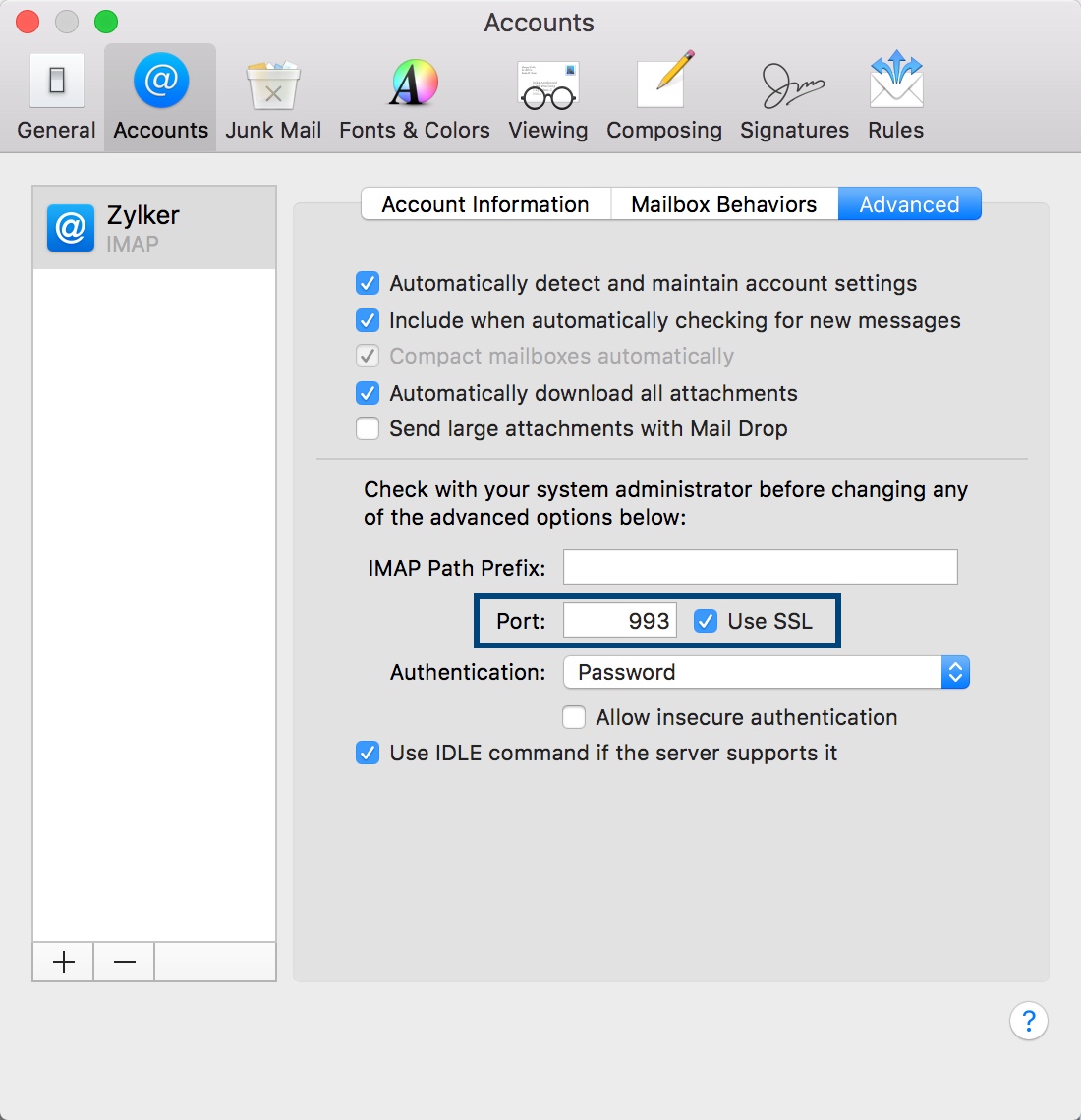
- Check if SSL is turned on for Incoming Server and the port number is 993.
- To check if the port number is correct, go to Mail >> Preferences >> Accounts >> Advanced
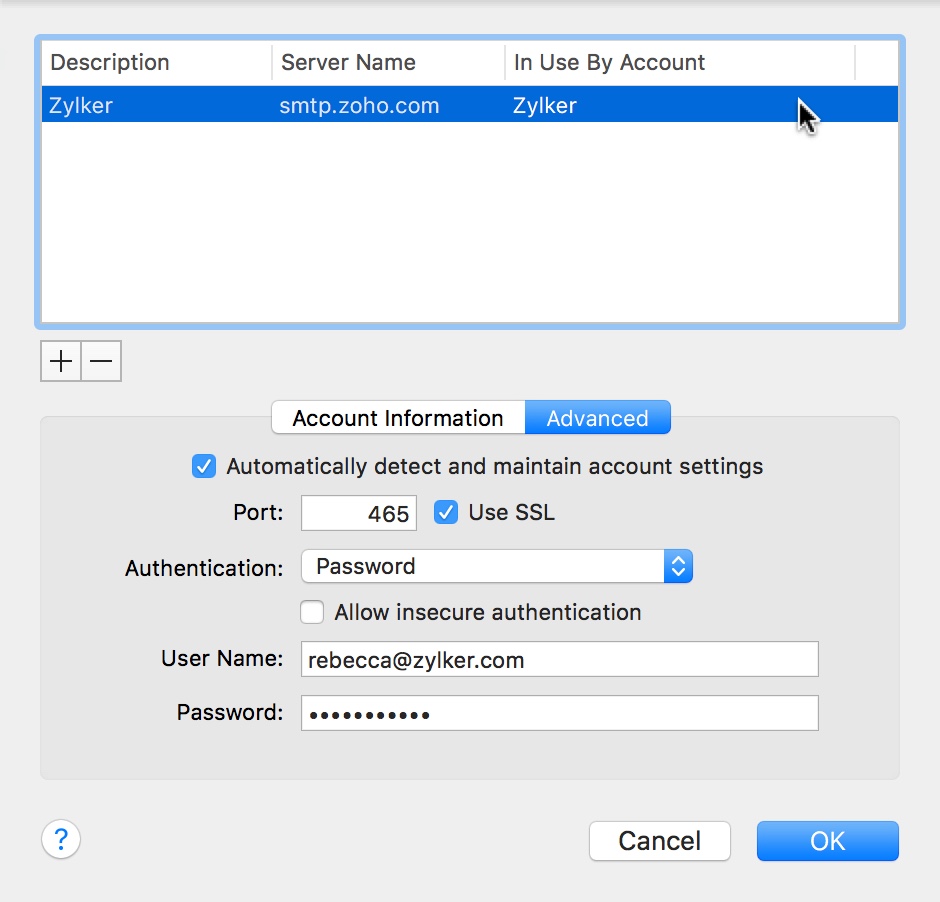
- Check if the SSL is turned on for the SMTP server, and that the Outgoing Port Number is right.
- To check the Outgoing Port Number and SSL, go to Mail >> Preferences >> Accounts >> Outgoing Mail Server (SMTP) >> Edit SMTP Server list.
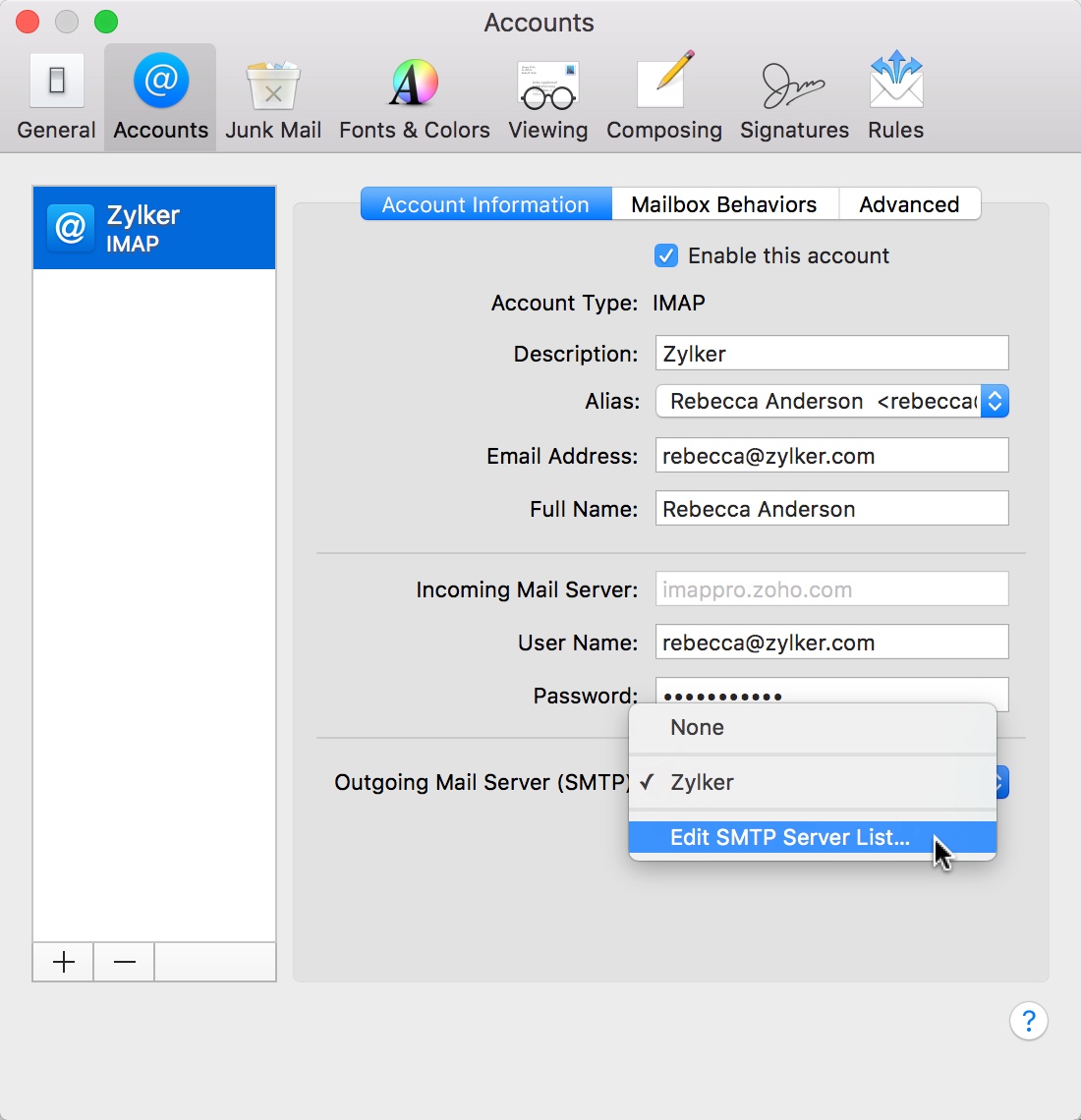
- Ensure that the Port Number is 465, SSL is checked, and click Ok.
Related Articles
iPhone/ iPad IMAP Email Configuration for Zoho Mail
Zoho Mail App for iPhone Zoho Mail has a dedicated iOS mobile app for iPhone. It is simple and powerful to use. Apart from Mail, it also syncs your Calendar and Contacts also, without interfering in the device's native calendar and contacts. Download ...Surface Pro - Setting Up Zoho Mail
1. Overview This guide explains the recommended way to access your email on a Surface Pro. There are two options: Recommended - Zoho Mail (web app - simplest and most reliable) Optional - Microsoft Outlook (IMAP setup) 2. Recommended Setup - Zoho ...Outlook for Windows - IMAP
Steps to Configure Zoho Mail account as IMAP in Outlook for Windows Log in to your Zoho Mail account to enable IMAP access. (Login to www.zoho.com/mail >> Settings >> Mail Accounts >> IMAP Access >> Enable IMAP Access by clicking the checkbox) . ...Outlook for Mac - IMAP
Steps to Configure Zoho Mail account as IMAP in Outlook Log in to your Zoho Mail account to enable IMAP access. (Login to www.zoho.com/mail >> Settings >> Mail Accounts >> IMAP Access >> Enable IMAP Access by clicking the checkbox). Launch the ...How to share ownership of a Google Business Profile
How can you add Manager to Google My Business in 2024? (8 steps) Here is how you can share access to your Google Business Profile with a coworker, freelancer, or age 1. Sign in to Your Google My Business Account First, make sure you’re using the ...